How to Automate Your Hiring and Team Onboarding Workflow

Are you hiring a freelance video editor or a podcast editor, and finding the whole process overwhelming? As someone who has been a freelancer since 2020, I absolutely hate when clients take forever to onboard me. My best advice would be to use Airtable for all your systems. You can build forms, data, interfaces, and automations. Here’s what you can start building now….
Step 1: Build a team hub in Airtable
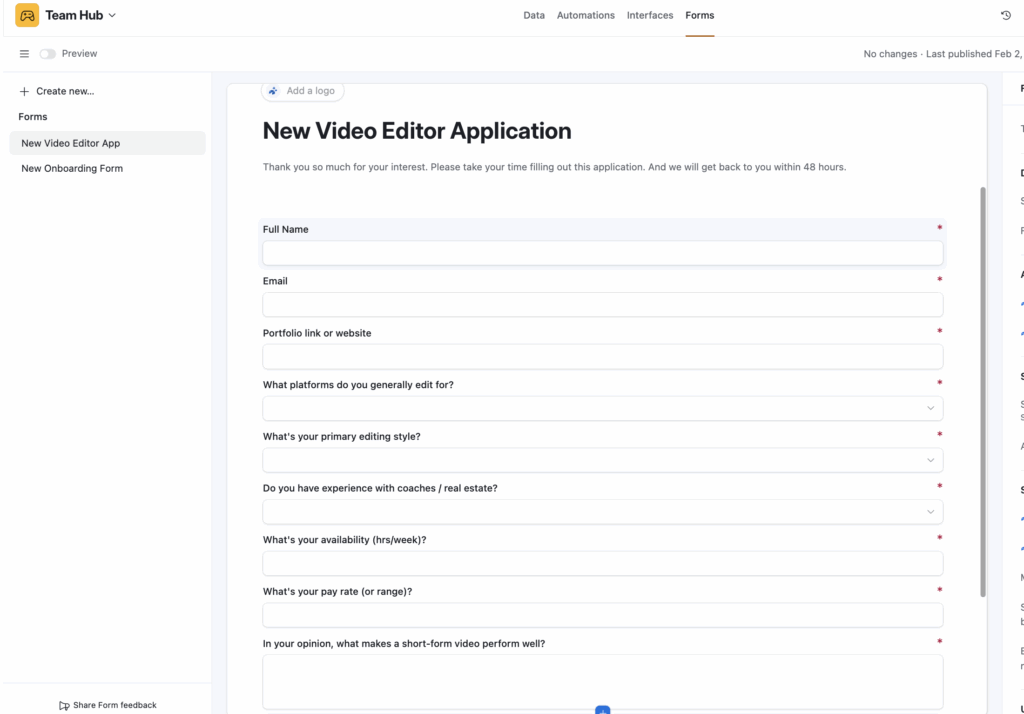
First, create a job description in Google Docs or on a website, and then link an application form on Airtable. Here is where you will build your application forms for your video editor or any other freelancer. Once you build an application form, your next step will be to review.
Step 2: Review Applications
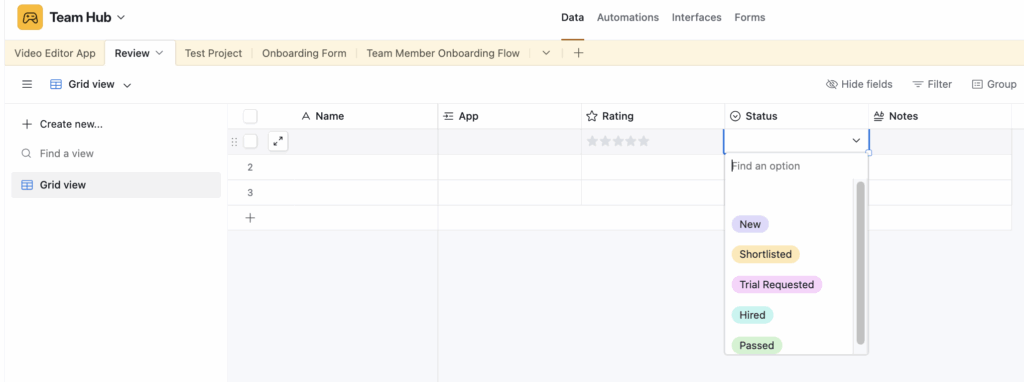
Here is where you will review your applications and decide if you want to send them a paid test project or book a call. This really depends on you.
Step 3: Test Project
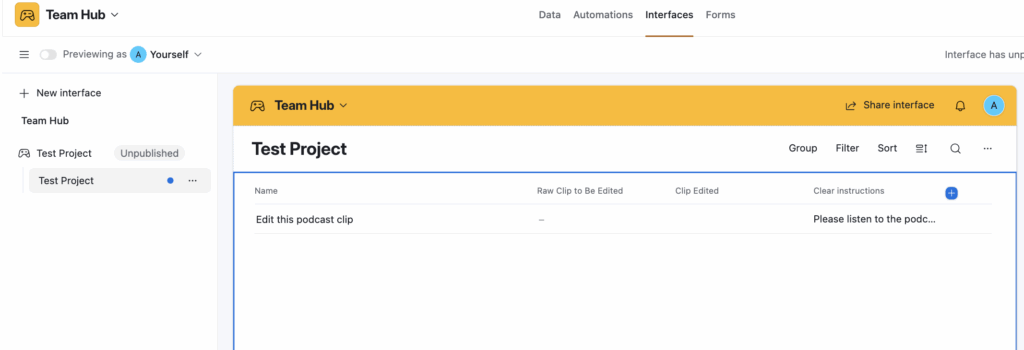
I love that you can organize test projects in Airtable, plus they will have access to the interface you send them. So you don’t have to move the info anywhere else. You will build the data first, then click “Interface” at the top, and then send them the link to that layout so they have all the info they need.
Step 4: Automate and Review
You can automate any notifications in Airtable if you want. For instance, you can automate a rejection email, or an email sending them the onboarding form. It really depends on your process, so this is truly customizable.
Step 5: Build an Onboarding Form
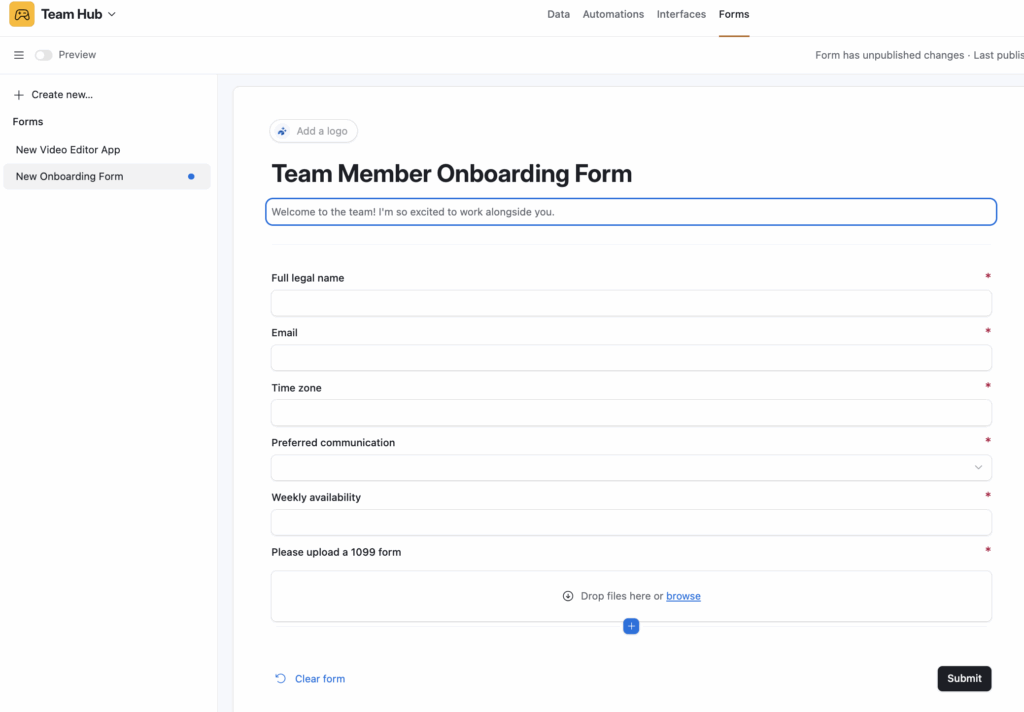
Congrats, you just onboarded a new team member!!! Below is an example of an onboarding form, but of course, you can add more info if you so choose. Once they complete this form, you can automate all their documents.
Step 6: Team Member Onboarding
Once they fill out the onboarding form, you can automate their onboarding docs. Here is an example of information you might send a freelance video editor. You would, of course, fill out all this info and then send them the “interface” so that way all they all see is their docs instead of the data.

Want support? I’m offering System Clarity Calls. Click here to sign up for a limited time only. Grab your spot.
